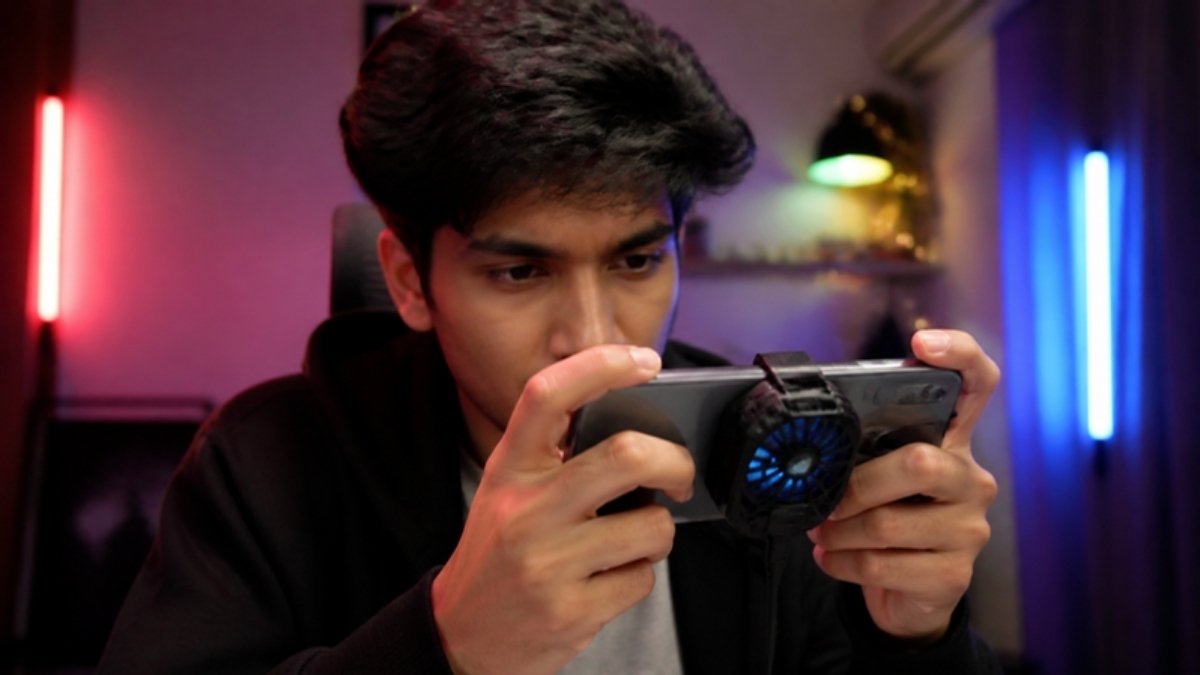
Games like Free Fire, PUBG Mobile, Call of Duty Mobile and eFootball push your phone’s processor and graphics hard. Heat builds up, and when the phone gets too hot it slows down to protect itself. That is why your game starts lagging after 20 minutes. Here is how to stay cool and keep frame rates smooth.
Adjust in-game settings
- Lower graphics from Ultra or HD to Smooth or Balanced.
- Choose a stable frame rate your phone can sustain, rather than the maximum.
- Turn off shadows, anti-aliasing and other extras.
Use your phone’s game mode
Samsung Game Booster, Tecno/Infinix game modes and similar tools block notifications, close background apps and manage performance and heat.
Do not game while charging
Charging and gaming together is the biggest cause of overheating. Charge first, then play. Some phones offer a “bypass charging” or “pause USB power delivery” option in game mode, which powers the game directly without heating the battery.
Remove the case
Thick cases trap heat. Take it off during long sessions.
Close background apps
Close social media, video and browser apps before playing.
Play somewhere cool
Avoid direct sun. A fan or a cooler room helps a lot. Phone cooling fans that clip onto the back also work well for serious gamers.
Lower screen brightness
The screen generates heat too, especially at maximum brightness.
Take breaks
A 5-minute break every 30 to 45 minutes lets the phone cool down.
Learn about the wider causes in why phones overheat and overheating while charging.
Gaming-ready phones at Simcel
- Infinix Hot 70: Helio G100 Ultimate, 120Hz display and 6000mAh battery.
- Tecno Camon 50 Ultra 5G: Dimensity 7400 Ultimate and 144Hz AMOLED.
- Samsung Galaxy S26 Ultra (256GB): Snapdragon 8 Elite Gen 5 for top-tier gaming.


Leave a Reply