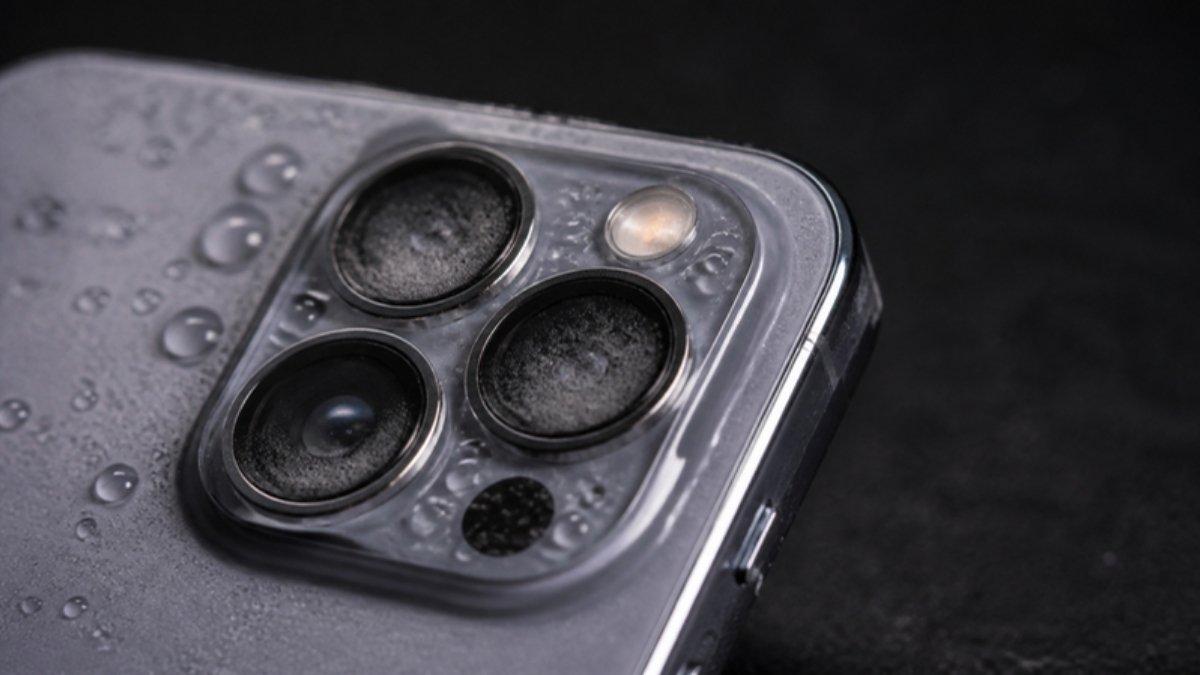
Water damage does not always kill a phone straight away. Sometimes the phone seems fine for days, then problems start as corrosion spreads inside. Whether your phone fell in water, got caught in rain or sat in a humid bag, look out for these signs.
1. Fog or droplets under the camera lens
Moisture trapped inside shows up as cloudiness in the camera or flash. Photos look hazy.
2. Spots, lines or patches on the screen
Water between the display layers causes bright or dark blotches that may spread.
3. Muffled or crackling sound
Speakers and earpieces sound quiet or distorted, and callers say your voice is unclear.
4. Charging errors
“Moisture detected” or “Liquid detected” messages, or charging that starts and stops.
5. Random restarts or the phone will not switch on
Short circuits on the board cause freezing, restarts or a dead phone.
6. Fast battery drain or heat
Corrosion can create small leaks of power that drain the battery and warm the phone.
7. Buttons that stick or stop working
Volume and power buttons may feel stiff or stop responding.
8. A red or pink liquid indicator
Many phones have a small white sticker, often in the SIM tray slot, that turns red or pink after contact with water. A technician can check it for you.
What to do if you see these signs
- Back up your data immediately while the phone still works.
- Stop charging if you see liquid warnings.
- Take it to a technician for a board clean. The sooner, the better.
If it just happened, follow what to do in the first 10 minutes, and skip the rice; here is why rice does not work.
Water-resistant phones at Simcel
- Tecno Spark 50C: IP68/IP69 protection on a budget.
- itel Power 80: IP68/IP69 and military-grade drop resistance.
- Samsung Galaxy A17 5G: IP54 splash protection with a Super AMOLED screen.


Leave a Reply