
Your Laptop Screen Is Holding You Back (And You Know It)
You’re hunched over a 13-inch laptop screen, alt-tabbing between your spreadsheet and your email for the hundredth time today. Or maybe you’re on a work trip, staring at a tiny hotel desk, wishing you had the dual-monitor setup you’re used to at home. Either way, working — or gaming — on a single small screen gets old fast.
The obvious fix is a second monitor. But a full-size desktop display isn’t exactly something you toss in a carry-on. It needs a power brick, a separate video cable, and a chunk of desk real estate you probably don’t have.
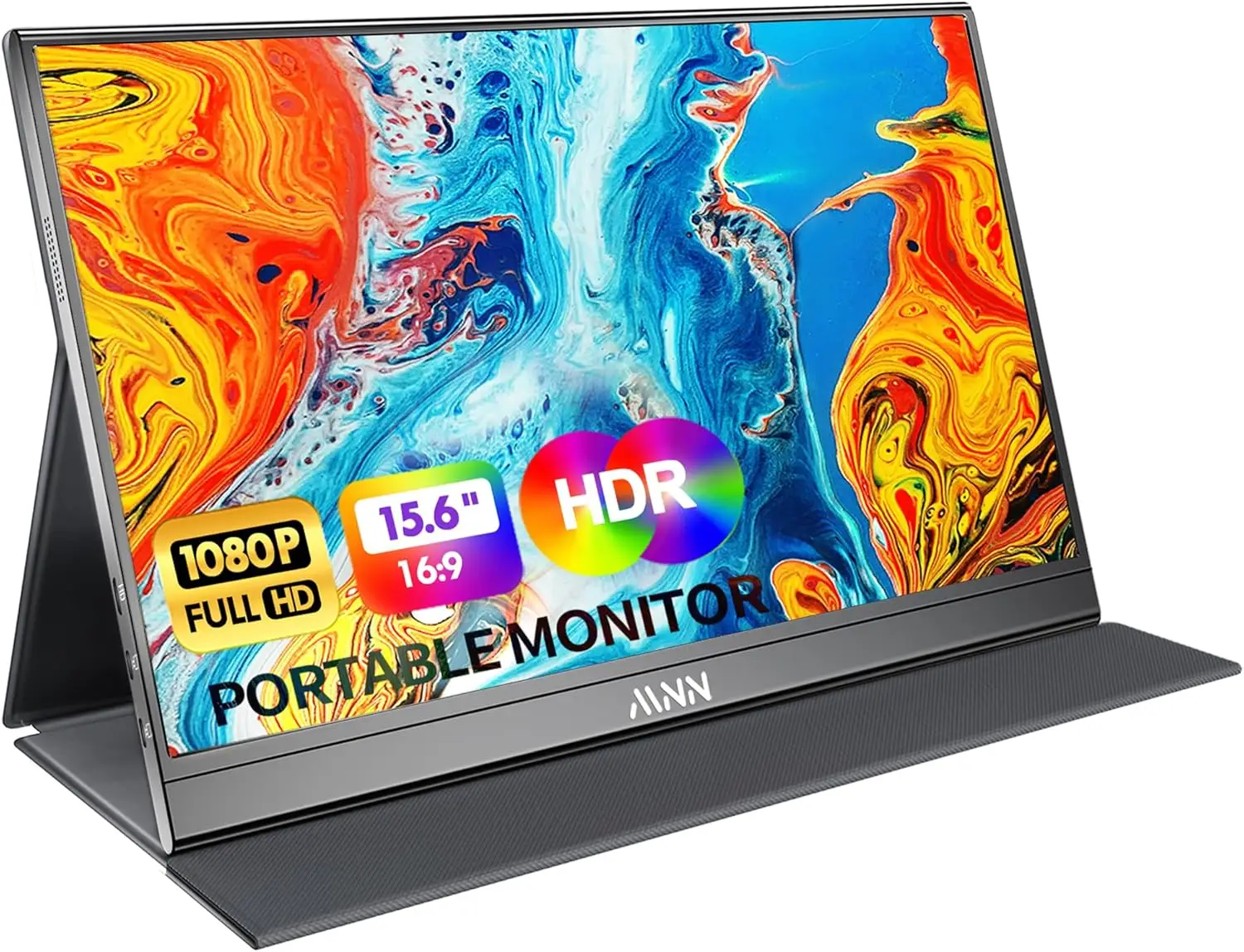
That’s the gap portable USB-C monitors are built to fill: a slim, lightweight screen that runs off a single cable and folds into your bag like a tablet. The MNN 15.6″ FHD Portable Monitor is one of the more popular options in this space right now, so let’s break down exactly what it does well, where it falls short, and whether it’s the right pick for you.
Quick Answer
The MNN 15.6″ FHD Portable Monitor is a solid pick if you want a lightweight, single-cable second screen for work, travel, or console gaming — its IPS HDR panel and dual USB-C ports make setup nearly plug-and-play, though it’s not a replacement for a dedicated high-refresh gaming monitor. Check current price on Amazon →
MNN 15.6″ Portable Monitor: Full Breakdown
Standout Benefit: One Cable Does Everything
The biggest headache with most portable monitors is cable clutter — one for power, one for video, sometimes a third for audio. The MNN monitor sidesteps that with two full-feature USB-C ports, so a single Type-C cable can carry both power and display signal at once. If your laptop, phone, or tablet supports USB 3.1 DP Alt Mode or Thunderbolt 3, you’re looking at true plug-and-play setup — no drivers, no separate charger fumbling.
At 0.76cm thick and roughly 694g, it’s genuinely bag-friendly rather than “technically portable but you’ll feel it in your shoulder” portable.
Best for: People who want to add a second screen without adding a pile of cables — remote workers, students taking notes across two screens, and anyone who hates digging through a tangled cable pouch.
Realistic drawback: This is a 60Hz panel, not a high-refresh gaming monitor. If you’re chasing competitive shooter performance, this isn’t built for that — it’s aimed at productivity, media, and casual/console gaming rather than esports-grade responsiveness.
See current pricing and availability →
Standout Benefit: Actually Useful Screen Modes
A lot of portable monitors are just “screen goes on, screen goes off.” The MNN offers Copy Mode, Extended Mode, Second Screen Mode, and Portrait Mode, plus an HDR toggle for punchier highlights and contrast when you’re watching video or gaming. Portrait mode in particular is a nice touch if you do a lot of reading, coding, or document review — vertical orientation just makes more sense for scrolling text.
Best for: Anyone who wants flexibility — flipping between a coding layout in portrait mode and a movie in landscape HDR without buying a second device.
Realistic drawback: HDR on a budget IPS panel won’t match what you get from a premium OLED display — think “noticeably better contrast,” not “cinema-grade HDR.”
Standout Benefit: Wide Device Compatibility
Because it connects over standard USB-C with DP Alt Mode support, the MNN monitor works across an unusually wide range of devices: laptops, Macbooks, phones, PS4/PS5, Xbox, and Nintendo Switch. That versatility is a real selling point if you want one monitor that pulls double duty as a work screen during the day and a Switch or console display at night.
Best for: Multi-device households or anyone who wants one monitor instead of buying separate screens for work and gaming.
Realistic drawback: Not every device supports USB-C video output — older laptops or phones without DP Alt Mode/Thunderbolt 3 won’t work over a single cable, and you may need an HDMI connection plus separate power instead. Check your device’s USB-C spec before buying.
Check compatibility and current price →
Comparison Table: MNN 15.6″ Portable Monitor Specs
| Feature | Details |
|---|---|
| Screen Size | 15.6″ |
| Resolution | 1920 x 1080 (Full HD) |
| Panel Type | IPS, glossy, HDR support |
| Viewing Angle | 178° |
| Refresh Rate | 60Hz |
| Thickness | 0.76cm |
| Weight | ~694g |
| Connectivity | 2x USB-C (power + video), HDMI |
| Display Modes | Copy, Extended, Second Screen, Portrait |
| Compatible Devices | PC, Mac, phones, PS4/PS5, Xbox, Nintendo Switch |
| Extras | Smart cover/stand (PU leather), low blue light mode |
| Price | CURRENT_PRICE |
How We Evaluated This Monitor
When we assess a portable monitor like this, we’re weighing it against three practical questions: Is it actually easy to set up? Does the screen quality match the price point? And does it survive real travel use?
For the MNN monitor specifically, that means looking past the marketing language around “vivid colors” and focusing on things that matter in daily use — the dual USB-C setup, the IPS panel’s viewing angles, the included protective case, and honest limitations like the 60Hz refresh rate. We also factor in typical buyer sentiment: portable monitors in this price tier generally land in the 4-star range on Amazon, with common praise around ease of setup and portability, and occasional critiques around build materials or HDR being more of a “nice bonus” than a dramatic upgrade — which tracks with what you’d expect from a budget-friendly IPS panel.
If a product doesn’t hold up on second use — screen door effect, flimsy stands, ports that wear out — that’s the kind of thing we flag rather than gloss over.
Frequently Asked Questions
Does the MNN portable monitor work with a MacBook?
Yes, as long as your MacBook’s USB-C port supports DisplayPort Alt Mode (most MacBooks from the last several years do), you can connect with a single USB-C cable for both power and video.
Can I power it from my laptop, or do I need a separate charger?
If your laptop’s USB-C port can supply enough power over the cable, one cable can handle both power and display signal. Devices with lower-power USB-C ports may need a separate USB-C power adapter connected to the second port.
Is 60Hz enough for gaming?
For console gaming, media, and casual play, yes. If you’re playing fast-paced competitive PC games where every millisecond matters, a 60Hz panel isn’t built for that — you’d want a dedicated high-refresh gaming monitor instead.
Does it work with the Nintendo Switch?
Yes, the monitor supports Switch connectivity, typically via the Switch dock’s HDMI output or USB-C, depending on your Switch model.
How durable is the screen for travel?
It ships with a PU leather smart cover that doubles as a stand and adds a layer of protection, which helps for regular travel. As with any portable monitor, it’s still a glass panel — a padded sleeve inside your bag is a smart extra precaution if you’re tossing it in with other gear.
Bottom Line: Should You Buy the MNN 15.6″ Portable Monitor?
If you want a lightweight, single-cable second screen that goes wherever your laptop goes — without a mess of adapters or a big hit to your budget — the MNN 15.6″ FHD Portable Monitor is a genuinely practical pick. The dual USB-C setup, HDR-capable IPS panel, and flexible display modes cover the vast majority of work-from-anywhere and casual gaming use cases well. Just don’t expect esports-level refresh rates, and double-check your device supports USB-C video before you buy.
Check current price and availability on Amazon →
Prices and stock change frequently on Amazon — click through for the latest.


Leave a Reply