
The Problem With Most VR Headsets Right Now
If you’ve been shopping for a VR headset lately, you’ve probably hit the same wall everyone hits: you have to pick a lane. Buy a standalone headset and you get freedom but a screen door effect and mushy visuals. Buy a PC VR headset and you get gorgeous resolution but you’re tethered to a gaming rig and, often, a room full of base stations.
Nobody wants to own two headsets. And nobody wants to spend a few hundred dollars only to discover the field of view feels like looking through a toilet paper tube, or that the battery dies 45 minutes into a raid.
The HTC Vive Focus Vision is HTC’s attempt to close that gap — a standalone headset with a genuinely high-resolution display, base-station-free tracking, and a PC VR mode for when you want to plug into SteamVR. Below, I’ll break down where it actually delivers, where it doesn’t, and whether it’s the right headset for your setup.
Quick Answer
Best pick: HTC Vive Focus Vision — if you want one headset that handles both standalone VR and serious PC VR gaming without base stations, this is currently one of the few options that does both at a 5K-class resolution. Check current price on Amazon →
HTC Vive Focus Vision — Full Breakdown
The Standout Benefit: You’re Not Choosing Between Standalone and PC VR
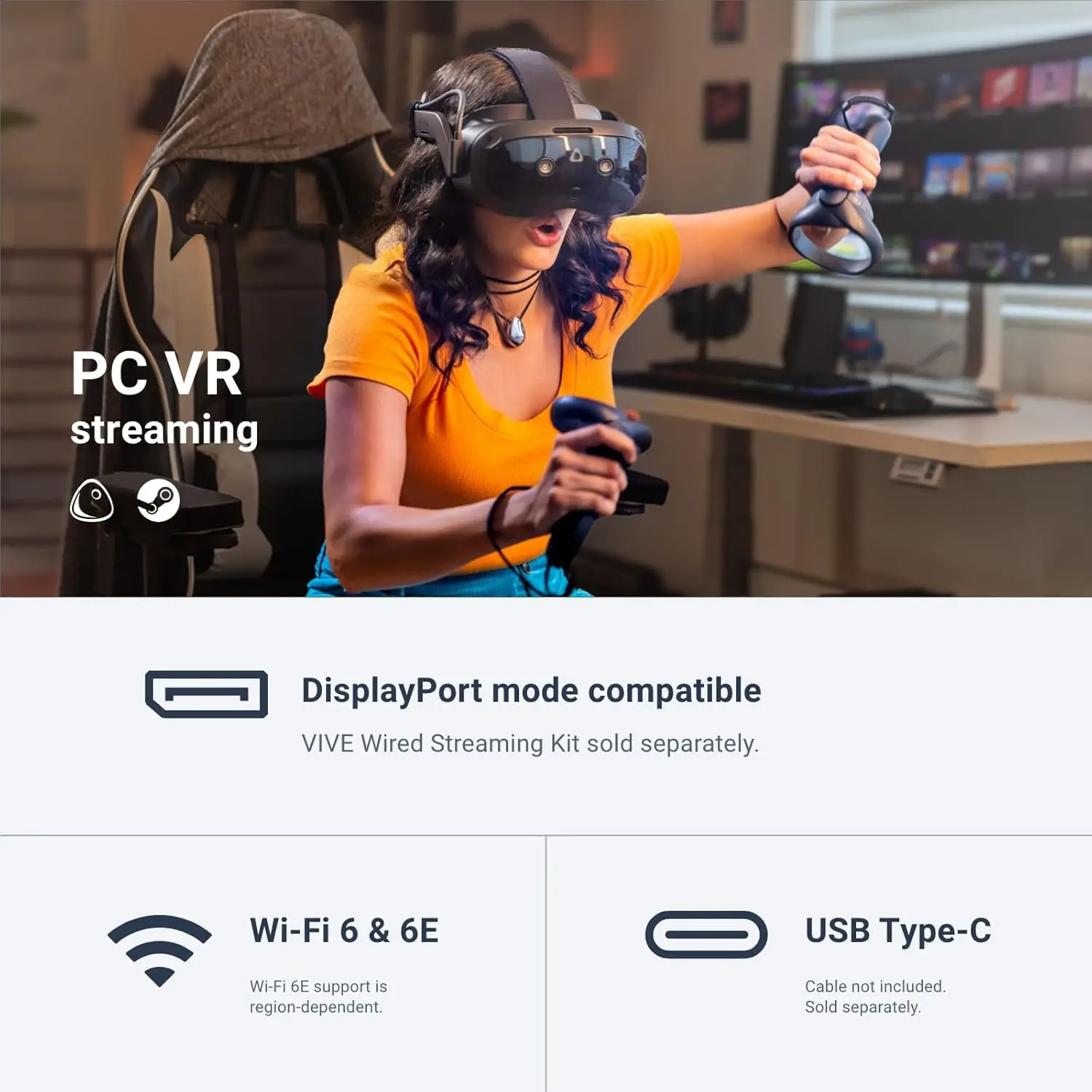
Most headsets force a decision at checkout. The Focus Vision doesn’t. It runs as a fully standalone unit through Viveport, and when you want PC VR fidelity, you connect your PC to your Wi-Fi router via Ethernet and stream through DisplayPort mode for a low-latency, lossless-feed experience straight from your gaming PC. No base stations to mount on your walls, no cables running across your living room floor.
For anyone who’s outgrown a basic Quest-style headset but isn’t ready to build out a dedicated base-station VR room, that flexibility alone is the reason to consider this headset.
Who it’s best for: Sim racers and flight sim players who want PC-grade visuals on weekends but standalone convenience on weeknights, VRChat regulars who care about expressive avatars, and anyone tired of untangling base station cables.
The realistic drawback: PC VR mode depends on a solid Ethernet-to-router connection to your PC — it’s not true plug-and-play like a DisplayPort cable straight to your headset. If your router and gaming PC aren’t in the same room, you’ll want to plan your network setup before you buy, and wireless streaming quality will always trail a wired connection.
👉 See the HTC Vive Focus Vision on Amazon
Display Quality: This Is Where It Actually Separates Itself
Specs get thrown around a lot in VR marketing, so let’s be specific instead of vague. The Focus Vision pushes 2448 x 2448 pixels per eye, a 120° field of view, and a 90 Hz refresh rate. That pixel density is a meaningful step up from headsets still using sub-2K panels per eye — text in menus and cockpit gauges in sim games are noticeably easier to read without leaning forward.
Who it’s best for: People who’ve tried a lower-res standalone headset and found themselves squinting at in-game text or seeing screen-door artifacting on bright scenes.
The realistic drawback: A sharper panel also means your GPU works harder in PC VR mode. If you’re running a mid-tier graphics card, you may need to dial down in-game settings to keep frame rates smooth.
Comfort and Fit: Auto-IPD and Hot-Swap Battery
Two features quietly solve problems that ruin long VR sessions for a lot of people. Auto-IPD adjustment aligns the lenses to your actual pupil distance instead of forcing you to guess at a slider, which matters more than most buyers expect — bad IPD alignment is a common (and often misdiagnosed) cause of VR eye strain and headaches.
Then there’s the hot-swappable battery. A reserve front battery holds enough charge to keep your session running while you swap the main battery for a charged spare, and HTC says the swap itself takes just seconds. That’s the difference between a VR night that ends because you’re tired versus one that ends because the headset died mid-boss-fight.
Who it’s best for: Anyone who’s had a headset die 40 minutes into a session, or who shares a headset with a partner/roommate and doesn’t want to wait around for a full recharge.
The realistic drawback: Spare batteries are an added cost most reviewers note isn’t included in the base package — factor that into your total budget if all-day sessions are the goal.
👉 Check availability and CURRENT_PRICE →
Tracking: Eye Tracking, Hand Tracking, and Mixed Reality
Built-in eye tracking and low-light hand tracking make interactions in social VR apps like VRChat feel less like puppeteering and more like natural body language, and the headset supports face and body trackers for people who want full-body expressiveness. A depth sensor also powers scene understanding, letting the headset map your physical room so mixed reality apps can let you interact with real furniture and surfaces.
Who it’s best for: VRChat and social VR users, and anyone experimenting with mixed-reality productivity tools rather than pure gaming.
The realistic drawback: Hand tracking in VR — across every brand, not just HTC — is still noticeably less precise than physical controllers for fast-twitch gaming. Treat it as a nice-to-have for social apps, not a controller replacement for competitive titles.
How These Specs Were Chosen
This breakdown focuses on the features that show up most consistently in hands-on impressions and buyer discussions of the Focus Vision: display resolution and FOV, battery life/swap convenience, comfort and IPD fit, and tracking accuracy. Typical reviewer sentiment on headsets in this class tends to cluster in the 4-star range, with praise for display clarity and battery flexibility, and more mixed feedback on PC VR setup complexity and accessory pricing — which is why those points are called out above as honest drawbacks rather than buried.
Comparison at a Glance
| Feature | HTC Vive Focus Vision | Typical Standalone-Only Headset | Typical Tethered PC VR Headset |
|---|---|---|---|
| Resolution (per eye) | 2448 x 2448 | ~2064 x 2208 or lower | Varies, often lower pixel density |
| Field of View | 120° | ~100-110° | 100-130° |
| Refresh Rate | 90 Hz | 72-90 Hz | 90-144 Hz |
| Base Stations Required | No | No | Often yes |
| PC VR Mode | Yes (Ethernet-to-router DisplayPort mode) | Rarely / limited | Yes (native) |
| Battery | Hot-swappable | Fixed, recharge required | N/A (powered by PC/cable) |
| Eye Tracking | Yes | Varies by model | Varies by model |
| RAM | 12GB | Varies | N/A |
| Price | CURRENT_PRICE | Often lower | Often higher (plus PC cost) |
Specs for comparison columns are general category ranges, not specific competitor models — always confirm exact specs before buying.
What You Risk by Guessing Wrong Here
Buying a VR headset sight-unseen is a real gamble. Pick a low-res standalone unit and you’ll likely be back on Amazon in three months looking to upgrade once the novelty of screen-door visuals wears off. Pick a cheaper PC-only headset and you might find yourself stuck buying base stations and running cables you didn’t budget for. The Focus Vision’s whole pitch is avoiding that trade-off — but it’s only the right buy if you’ll actually use both modes, or if the standalone experience alone justifies the price for you.
Buyer’s Guide FAQ
Is the HTC Vive Focus Vision good for PC gaming?
Yes, through its DisplayPort/Ethernet-to-router streaming mode it’s built to handle SteamVR titles, though your experience will depend on your PC’s GPU and your network setup quality.
Do I need base stations for tracking?
No. The Focus Vision uses inside-out tracking, so there’s no need to mount external sensors around your room.
How long does the battery actually last?
HTC doesn’t market a single fixed number since usage varies by app, but the hot-swap battery design is specifically meant to solve the “dead halfway through a session” problem by letting you swap in a charged spare in seconds.
Is this headset comfortable for glasses wearers?
Auto-IPD adjustment helps with lens alignment, but comfort with glasses varies by face shape — checking the current buyer Q&A section on the product listing is worth doing before you buy if this is a dealbreaker for you.
Is it worth the price compared to a Quest-style headset?
If you specifically want higher resolution, hot-swap battery life, and a PC VR path without base stations, the price premium buys real functionality. If you mainly want casual standalone gaming and don’t care about PC VR, a cheaper standalone-only headset may be the more efficient buy.
The HTC Vive Focus Vision isn’t trying to be the cheapest headset on the shelf — it’s trying to be the one headset that doesn’t force you to choose between standalone freedom and PC VR fidelity. If that flexibility matters to you, and the 5K-class display and hot-swap battery solve problems you’ve actually run into with a previous headset, it’s worth a serious look.
👉 Check the current price and availability of the HTC Vive Focus Vision on Amazon
Disclosure: This post contains affiliate links. If you purchase through them, I may earn a small commission at no extra cost to you.


Leave a Reply