
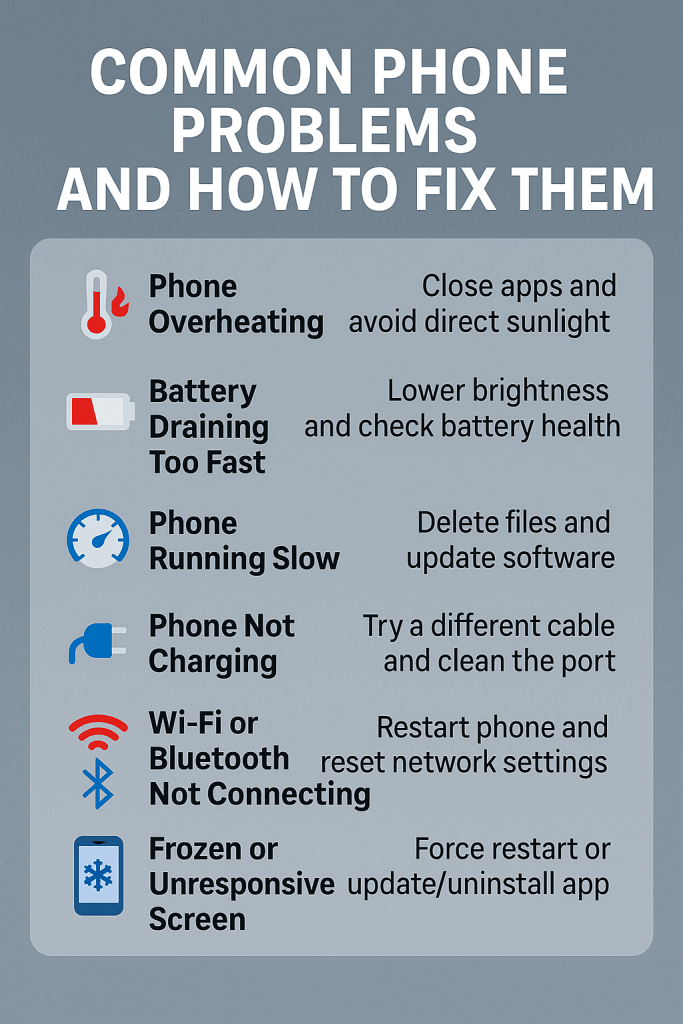
Smartphones have become essential for everything – work, study, entertainment, and even managing our businesses. But what happens when they start acting up?
Don’t worry – most phone problems have simple fixes! Here’s a quick guide from Simcel Ventures to help you troubleshoot some of the most common mobile phone issues.
1. Phone Overheating
Problem: Your phone gets very hot during use.
Possible Causes:
- Heavy gaming or video streaming
- Charging with a faulty charger
- Exposure to direct sunlight
Quick Fix:
- Turn off unused apps running in the background.
- Use original chargers and accessories.
- Give your phone some rest when it overheats.
- Keep it out of direct sunlight.
✅ Pro Tip: If overheating persists, the battery could be damaged – contact Simcel Ventures for support!
2. Battery Draining Too Fast
Problem: Your phone dies before the day ends.
Possible Causes:
- Background apps
- High screen brightness
- Battery health degradation
Quick Fix:
- Lower your screen brightness.
- Close apps you’re not using.
- Check battery health in settings – if it’s bad, you may need a replacement battery.
✅ Pro Tip: Need a power bank to stay connected all day? Simcel Ventures has you covered!
3. Phone Running Slow
Problem: Apps lag or crash often.
Possible Causes:
- Low storage space
- Too many apps installed
- Old software version
Quick Fix:
- Delete unnecessary files and apps.
- Clear cache memory.
- Update your phone software.
✅ Pro Tip: For a real performance boost, ask us about getting an upgraded smartphone at Simcel Ventures!
4. Phone Not Charging
Problem: Plugging it in but the battery doesn’t charge.
Possible Causes:
- Damaged charging port
- Faulty cable or charger
- Software glitches
Quick Fix:
- Try a different cable and charger.
- Clean the charging port carefully using a dry brush or compressed air.
- Restart your phone.
✅ Pro Tip: Still not working? It might be time for a professional check-up. 📞 Contact Simcel Ventures for fast repairs!
5. Wi-Fi or Bluetooth Not Connecting
Problem: Your phone won’t connect to Wi-Fi or Bluetooth devices.
Possible Causes:
- Software bugs
- Network settings error
Quick Fix:
- Restart your phone and router.
- Forget the network or device and reconnect.
- Reset network settings (you can find this in your phone’s settings menu).
✅ Pro Tip: Always update your phone’s software to avoid connection bugs.
6. Frozen or Unresponsive Screen
Problem: The screen gets stuck and doesn’t respond to touch.
Possible Causes:
- App crashes
- Memory overload
Quick Fix:
- Force restart the phone (hold the power and volume buttons together).
- Update or uninstall the problematic app.
✅ Pro Tip: If the problem persists, a screen replacement might be needed. Visit Simcel Ventures for reliable service!
Final Thoughts
While many common phone problems can be solved at home, don’t hesitate to seek professional help for major issues. At Simcel Ventures, we offer:
✅ Original smartphones with incredible specs
✅ Bluetooth keyboards, stands, power banks & OTG drives
✅ Hire purchase & flexible payment plans
✅ Friendly support to get you set up fast!
👉 Visit Simcel Ventures Today!
📞 Call/WhatsApp 0547489948 or 0546672098 for product recommendations, delivery, and set-up support.


 SIMCEL ONLINE
Leave a Reply