
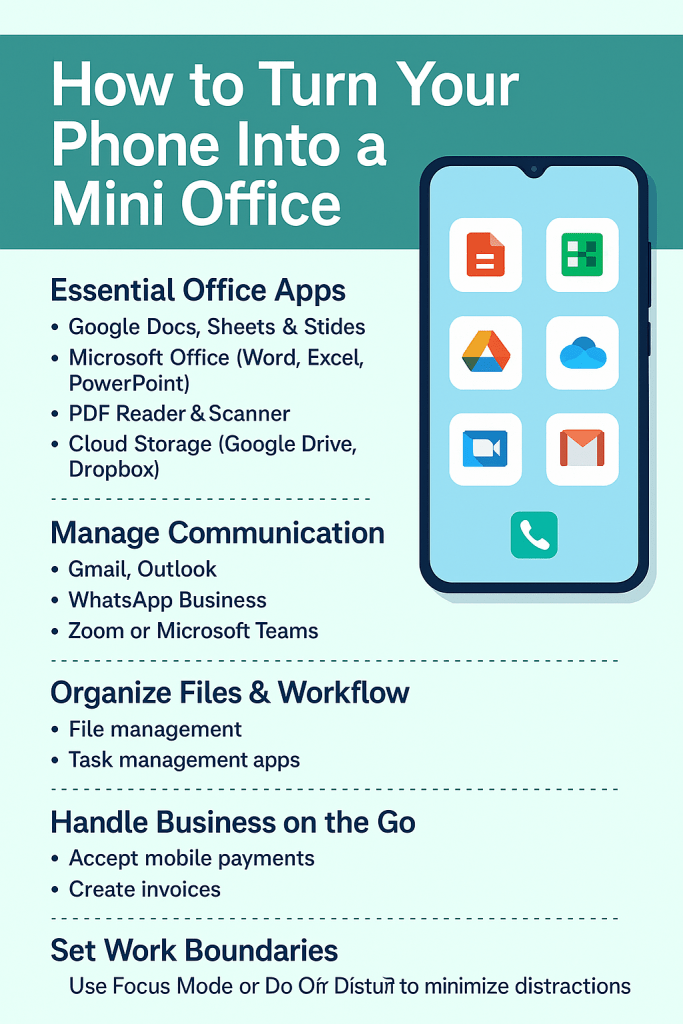
Think you need a laptop or desktop to be productive? Think again.
With just your smartphone, a few key apps, and the right mindset, you can run an entire mini office right from your pocket—whether you’re working remotely, running a small business, freelancing, or studying on the go.
At Simcel Ventures, we believe your phone should work as hard as you do. Here’s how to transform your smartphone into a full-functioning office for productivity and profit.
🧠 Step 1: Install Essential Office Apps
Make sure you’ve downloaded the core tools for getting work done:
✅ Document & File Management
- Google Docs, Sheets & Slides – For editing files on the go
- Microsoft Office (Word, Excel, PowerPoint) – Perfect for office formats
- PDF Reader & Scanner – Apps like CamScanner or Adobe Scan
✅ Cloud Storage
- Google Drive, Dropbox, or OneDrive – Save and share your files securely, from anywhere
✅ Note Taking & Task Management
- Evernote, Notion, or Google Keep – To jot down ideas, meeting notes, and reminders
📧 Step 2: Manage Communication Like a Pro
✅ Email & Messaging
- Gmail, Outlook, Yahoo Mail – Stay on top of your emails
- Use WhatsApp Business for quick client chats, catalog sharing, and auto-replies
✅ Video Meetings
- Download Zoom, Google Meet, or Microsoft Teams for client calls and virtual meetings
- Use your phone’s front camera and mic for smooth conferencing
📁 Step 3: Organize Files and Workflow
✅ Create folders by project or client name
✅ Use file-sharing apps like SHAREit or Send Anywhere for quick transfers
✅ Use Trello, Asana, or ClickUp to manage tasks and deadlines
💡 Tip: Sync your calendar with Google Calendar or Outlook for appointment tracking.
📸 Step 4: Handle Business on the Go
✅ Use camera and editing apps like Canva or Snapseed to design flyers or edit visuals
✅ Accept mobile payments via MoMo, Paystack, or Flutterwave
✅ Send quotes, invoices, or receipts with Invoice Simple or Zoho Invoice
🧘♂️ Step 5: Set Work Boundaries
Working from your phone is powerful—but it can also be distracting.
✅ Use Focus Mode or Do Not Disturb when working
✅ Limit access to social apps during office hours
✅ Set a daily schedule using reminder apps
🛠️ What You’ll Need for the Best Experience
To get the most out of your mini office setup, make sure your phone has:
- ✅ At least 4GB RAM and 64GB Storage
- ✅ A strong battery (ideally 5000mAh+)
- ✅ 4G or 5G support for fast internet
- ✅ Bluetooth or OTG support for connecting keyboard/mouse
- ✅ A protective case and power bank for field work
Need an upgrade? We’ve got you covered 👇
📲 Let Simcel Ventures Help You Build Your Mobile Office
We’ve got everything you need to run your hustle from your phone:
- ✅ Original smartphones with great specs
- ✅ Bluetooth keyboards, stands, power banks & OTG drives
- ✅ Friendly support to help you get started


 SIMCEL ONLINE
Leave a Reply