
Introduction
HDMI (High-Definition Multimedia Interface) cables have become the standard for transmitting high-quality audio and video signals between devices. Whether you’re connecting a TV, gaming console, computer, projector, or sound system, an HDMI cable ensures crystal-clear visuals and immersive audio.
With various HDMI versions, cable types, and specifications available, choosing the right HDMI cable can be confusing. In this comprehensive guide, we’ll explore everything you need to know about HDMI cables, including their types, features, benefits, and how to choose the best one for your setup.
What is an HDMI Cable?
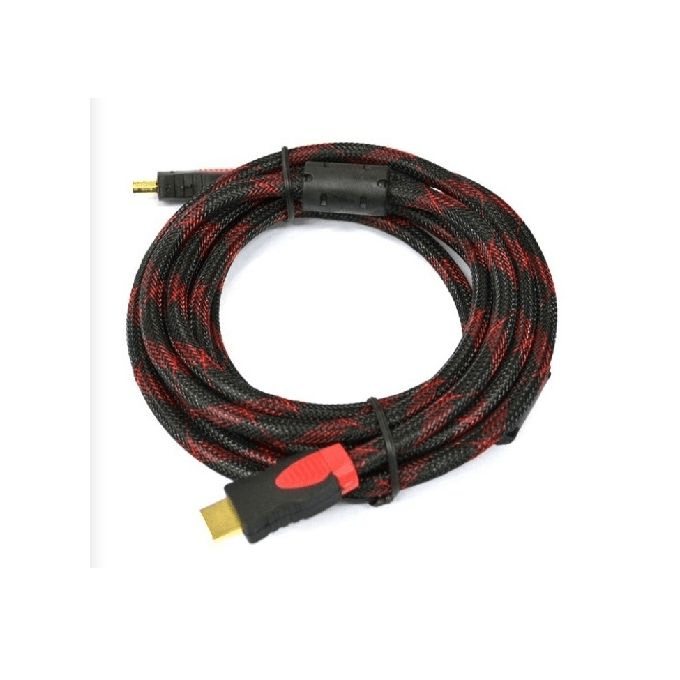
An HDMI cable is a digital interface cable used to transmit high-definition audio and video signals from one device to another. HDMI technology has replaced older analog connections like VGA and component cables, offering better picture quality, sound clarity, and ease of use.
Common devices that use HDMI include:
- TVs and Monitors
- Gaming Consoles (PlayStation, Xbox, Nintendo Switch)
- Laptops and PCs
- Streaming Devices (Apple TV, Roku, Firestick)
- Home Theater Systems and Soundbars
- Projectors and Media Players
Types of HDMI Cables
HDMI cables come in various types and versions, depending on their capabilities and speed. Below are the most common types:
1. Standard HDMI Cable
- Supports 720p and 1080p resolutions.
- Designed for basic home entertainment setups.
- Does not support 4K or high refresh rates.
✅ Best For: Older HDTVs, DVD players, and early-generation gaming consoles.
2. High-Speed HDMI Cable
- Supports Full HD (1080p) and 4K (30Hz).
- Handles deeper color depths and 3D video.
- More versatile and future-proof than standard HDMI.
✅ Best For: Streaming devices, Blu-ray players, and 1080p gaming consoles.
3. Premium High-Speed HDMI Cable
- Supports 4K at 60Hz, HDR (High Dynamic Range), and wide color gamut.
- Provides better picture clarity and smoother motion.
- Supports Dolby Atmos and DTS:X for enhanced sound quality.
✅ Best For: 4K TVs, PlayStation 5, Xbox Series X, and high-end home theaters.
4. Ultra High-Speed HDMI Cable (HDMI 2.1)
- Supports 8K at 60Hz and 4K at 120Hz.
- Compatible with HDMI 2.1 features like Variable Refresh Rate (VRR), Auto Low Latency Mode (ALLM), and Enhanced Audio Return Channel (eARC).
- Reduces lag, screen tearing, and latency for gaming.
✅ Best For: Next-gen gaming, 8K TVs, high refresh rate monitors, and premium home theater setups.
5. HDMI Cable with Ethernet
- Includes an Ethernet channel for internet connectivity between devices.
- Useful for Smart TVs, media players, and home networking.
✅ Best For: Devices that support HDMI Ethernet Channel (HEC).
6. Mini HDMI and Micro HDMI Cables
- Mini HDMI (Type C): Used in DSLR cameras, tablets, and some laptops.
- Micro HDMI (Type D): Found in action cameras, smartphones, and compact devices.
✅ Best For: Portable devices requiring HDMI connectivity.
HDMI Versions and Their Differences
HDMI technology has evolved over the years, improving bandwidth, resolution, and refresh rate capabilities. Here’s a breakdown of HDMI versions:
| HDMI Version | Max Resolution | Refresh Rate | Features |
|---|---|---|---|
| HDMI 1.4 | 4K @ 30Hz | 10.2 Gbps | 3D support, ARC (Audio Return Channel) |
| HDMI 2.0 | 4K @ 60Hz | 18 Gbps | HDR, wider color gamut, better audio |
| HDMI 2.1 | 8K @ 60Hz, 4K @ 120Hz | 48 Gbps | VRR, eARC, ALLM, Dynamic HDR |
💡 Tip: If you own a 4K or 8K TV, go for HDMI 2.1 cables to unlock the best video and gaming performance.
Key Features to Consider When Buying an HDMI Cable
1. Resolution and Refresh Rate Support
- For 1080p or basic 4K TVs – A High-Speed HDMI Cable is sufficient.
- For 4K at 60Hz or gaming consoles – Use a Premium High-Speed HDMI Cable.
- For 8K or 4K at 120Hz gaming – Choose an Ultra High-Speed HDMI Cable (HDMI 2.1).
💡 Tip: Always match your cable version to your device’s HDMI port capabilities.
2. Bandwidth (Gbps)
- Higher bandwidth = Better video and audio quality.
- HDMI 2.1 supports 48 Gbps, ensuring lag-free 8K and 4K gaming.
3. Cable Length
- HDMI cables come in lengths from 1 foot to 50 feet.
- Longer cables (above 10 feet) may lose signal quality unless they are fiber-optic HDMI cables.
💡 Tip: Use shorter cables for gaming and high-speed setups to avoid signal degradation.
4. Build Quality (Durability & Shielding)
- Gold-plated connectors resist corrosion and improve signal transfer.
- Braided or reinforced cables last longer and prevent wear.
- Shielded cables reduce interference for stable connections.
5. HDMI Certification
- Look for official HDMI certification to ensure authenticity and performance.
- Avoid cheap, unverified cables, as they may cause signal loss or compatibility issues.
Best HDMI Cables for Different Use Cases
For 4K Streaming & Smart TVs
- 🖥️ Best Choice: Amazon Basics High-Speed HDMI
- 🎥 Alternative: Belkin Ultra HD HDMI 2.0
- 🔥 Best For: Smooth 4K video playback with HDR support.
For Gaming (PS5, Xbox Series X, PC)
- 🎮 Best Choice: Zeskit Maya 8K Ultra High-Speed HDMI
- ⚡ Alternative: Anker Ultra High-Speed HDMI 2.1
- 🔥 Best For: High refresh rate gaming at 120Hz.
For Home Theater & Dolby Atmos Sound Systems
- 🎶 Best Choice: AudioQuest Pearl 48 HDMI
- 📺 Alternative: Monster HDMI 2.1 Ultra HD
- 🔥 Best For: Cinematic audio and video experience.
For Laptops & Professional Workstations
- 💻 Best Choice: Cable Matters 4K HDMI to DisplayPort
- 🖥️ Alternative: UGREEN HDMI Adapter Cable
- 🔥 Best For: Multi-screen setups and high-resolution displays.
SEO Keywords for Finding the Best HDMI Cables Online
To find the best HDMI cables online, use these SEO-friendly keywords:
- Best HDMI cable for gaming (PS5, Xbox)
- 8K HDMI cable for high refresh rate monitors
- Premium HDMI cable for home theater
- High-speed HDMI 2.1 cable for 4K HDR
- Best budget HDMI cables for Smart TVs
- Long HDMI cable for projectors and TV setups
Using these keywords in Google searches, product listings, and blog content will help you find the top-rated HDMI cables.
Conclusion
A high-quality HDMI cable ensures seamless video and audio transmission, making it an essential accessory for TVs, gaming consoles, PCs, and home theater systems. Whether you need a basic HDMI cable for 1080p streaming or an Ultra High-Speed HDMI 2.1 cable for 8K gaming, choosing the right HDMI cable improves performance and compatibility.
🔌 Upgrade your HDMI cable today for the best viewing and gaming experience!


 SIMCEL ONLINE
Leave a Reply