
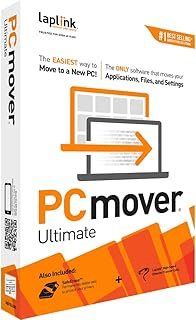
If you’re looking to transfer files, applications, and settings from an old computer to a new one, Laplink PCmover Ultimate 11 is one of the most efficient and user-friendly tools available. Here’s my detailed take on its performance and features:
Pros:
- Fast and Flexible Transfer Options:
The inclusion of Wi-Fi Direct and an optional Ethernet cable offers multiple ways to transfer data quickly and efficiently. The step-by-step download instructions ensure you can get started without confusion. - AI-Assisted Transfer Insights:
PCmover’s AI Assistant is a standout feature, providing a detailed summary of transferable items. It allows you to ask questions, adjust transfer options, and get personalized recommendations. This ensures you’re only transferring what you need. - Customizability:
The selectivity feature lets you choose specific applications, files, and settings for transfer. It’s a great way to customize the migration process to suit your needs and avoid unnecessary clutter on your new PC. - Performance and Speed:
The optimized transfer methods, including AI and Wi-Fi Direct, significantly reduce wait times. Transfers are smooth and seamless, so you can start using your new PC almost immediately. - Comprehensive Compatibility:
PCmover supports a wide range of Windows versions (XP to Windows 11), making it a versatile tool for users with older operating systems. The transfers are reliable, with no noticeable data corruption or missing files. - Secure Wiping Option:
The bundled SafeErase software is a thoughtful addition, allowing you to securely wipe data from your old PC. This ensures your personal information is protected, especially if you’re selling or recycling the old device. - Ease of Use:
The interactive setup is beginner-friendly, guiding users through the migration process step-by-step. Even those with limited technical knowledge can complete the transfer with confidence.
Cons:
- Single License Restriction:
The product is limited to one source and one destination PC per license. While this is clear upfront, users with multiple PCs will need to purchase additional licenses, which can get expensive. - Dependent on Internet Speed (for Wi-Fi Transfers):
While Wi-Fi Direct is fast, slower or unstable internet connections might affect performance. Using the included Ethernet cable is recommended for large transfers. - Advanced Features May Be Overkill for Casual Users:
Some features, like AI insights and selectivity options, might be overwhelming for users who just want a straightforward, all-in-one migration.
Verdict:
Laplink PCmover Ultimate 11 excels as a reliable and efficient data transfer solution. Its combination of AI insights, flexible transfer options, and secure wiping makes it ideal for both personal and professional use. While the single license restriction and reliance on internet speed might deter some, its overall performance and user-friendly interface outweigh these minor drawbacks.
Rating: ⭐⭐⭐⭐½ (4.5/5)
A near-perfect tool for PC migration. Highly recommended for users upgrading to a new computer and wanting to avoid the hassle of manually reinstalling and configuring applications.
Get access HERE


 SIMCEL ONLINE
Leave a Reply