
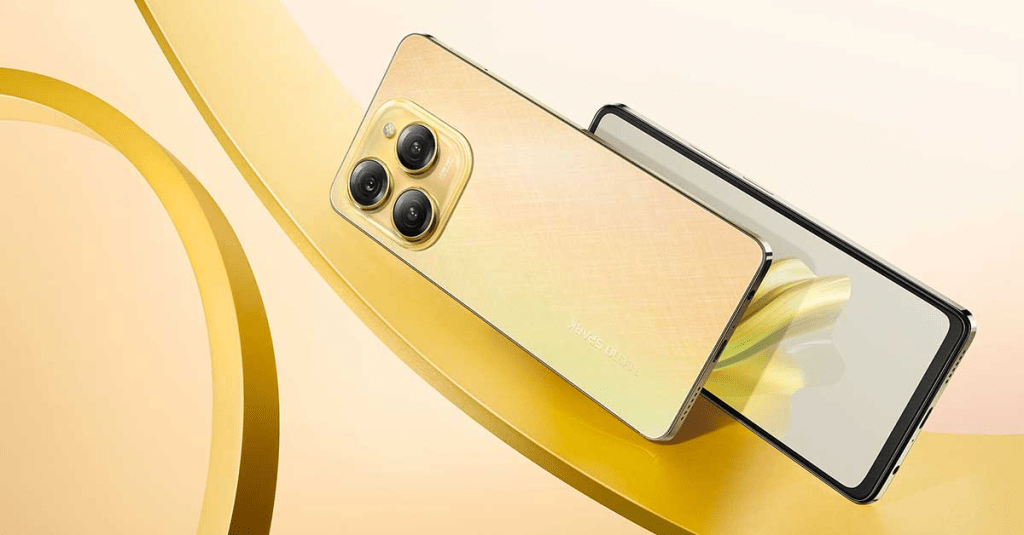
The TECNO SPARK 20, with its budget-friendly price tag and robust features, promises a decent mobile gaming experience. But how does it fare in real-world gaming scenarios? In this blog post, we’ll evaluate the performance of the TECNO SPARK 20 for mobile gaming and recommend some of the best games to play on this device.
Performance Evaluation for Mobile Gaming
Processor and GPU
The TECNO SPARK 20 is powered by a MediaTek Helio G37 processor paired with an IMG PowerVR GE8320 GPU. This combination offers sufficient power for casual and moderately demanding games, ensuring smooth gameplay in many popular titles.
RAM and Storage
With 4GB of RAM and 64GB of internal storage (expandable via microSD), the TECNO SPARK 20 handles multitasking and game data storage effectively. This setup allows for running games without significant lag or interruptions.
Display
The 6.8-inch HD+ display with a resolution of 720×1640 pixels provides vibrant colors and decent clarity. While not Full HD, the display is adequate for gaming, offering a good balance between performance and battery life.
Battery Life
The 5000mAh battery is one of the TECNO SPARK 20’s standout features, providing extended gaming sessions without the need for frequent recharging. This makes it ideal for gaming on the go.
Gaming Modes and Enhancements
The built-in Game Mode optimizes performance by allocating resources efficiently and minimizing distractions such as notifications during gameplay. This feature ensures a more immersive and enjoyable gaming experience.
Best Games to Play on the TECNO SPARK 20
1. PUBG Mobile Lite
Designed for lower-end devices, PUBG Mobile Lite offers a similar battle royale experience to its full version but with reduced graphics and fewer players per match. The TECNO SPARK 20 handles this game smoothly, providing a fun and competitive experience.
2. Call of Duty: Mobile
While more demanding, Call of Duty: Mobile runs well on the TECNO SPARK 20 at medium settings. The game’s multiplayer modes and battle royale offer hours of entertainment with impressive graphics and smooth performance.
3. Asphalt 9: Legends
This high-octane racing game is known for its stunning graphics and dynamic gameplay. The TECNO SPARK 20 can handle Asphalt 9 with occasional frame drops, making it a good option for racing game enthusiasts.
4. Free Fire
Another popular battle royale game, Free Fire is optimized for mid-range devices. It runs smoothly on the TECNO SPARK 20, offering fast-paced action and short match times ideal for quick gaming sessions.
5. Among Us
This social deduction game is light on resources but heavy on fun. The TECNO SPARK 20 runs Among Us flawlessly, making it a great game for playing with friends.
Troubleshooting Common Issues on the TECNO SPARK 20
Despite its robust design, you might encounter some common issues with the TECNO SPARK 20. Here’s a guide to solving connectivity issues, lag, and app crashes.
Connectivity Issues
Wi-Fi Problems:
- Restart Your Device: Sometimes, a simple restart can resolve connectivity issues.
- Reset Network Settings: Go to Settings > System > Reset > Reset Wi-Fi, mobile & Bluetooth.
- Check Router: Ensure your router is functioning correctly and not experiencing issues.
Mobile Data Issues:
- Check Data Plan: Make sure you have an active data plan.
- Toggle Airplane Mode: Turn Airplane Mode on and off to reset the connection.
- APN Settings: Verify your APN settings in Settings > Network & Internet > Mobile Network > Access Point Names.
Lag and Performance Issues
Close Background Apps:
- Running multiple apps can slow down your device. Close unnecessary apps from the recent apps menu.
Clear Cache:
- Go to Settings > Storage > Cache Data and clear the cache to free up space and improve performance.
Update Software:
- Ensure your device is running the latest software by going to Settings > System > Software Update.
App Crashes
Force Stop and Restart:
- Go to Settings > Apps > [App Name] > Force Stop. Then restart the app.
Clear App Data:
- Go to Settings > Apps > [App Name] > Storage > Clear Data.
Reinstall App:
- Uninstall and reinstall the app from the Google Play Store to resolve any corruption issues.
Conclusion
The TECNO SPARK 20 offers a commendable mobile gaming experience for its price range. By understanding its capabilities and addressing common issues, you can ensure smooth and enjoyable gameplay. Whether you’re into battle royales, racing games, or social deduction, the TECNO SPARK 20 is up to the task. And if you run into any issues, this guide provides straightforward solutions to keep your device running optimally. Happy gaming!


 SIMCEL ONLINE
Leave a Reply