
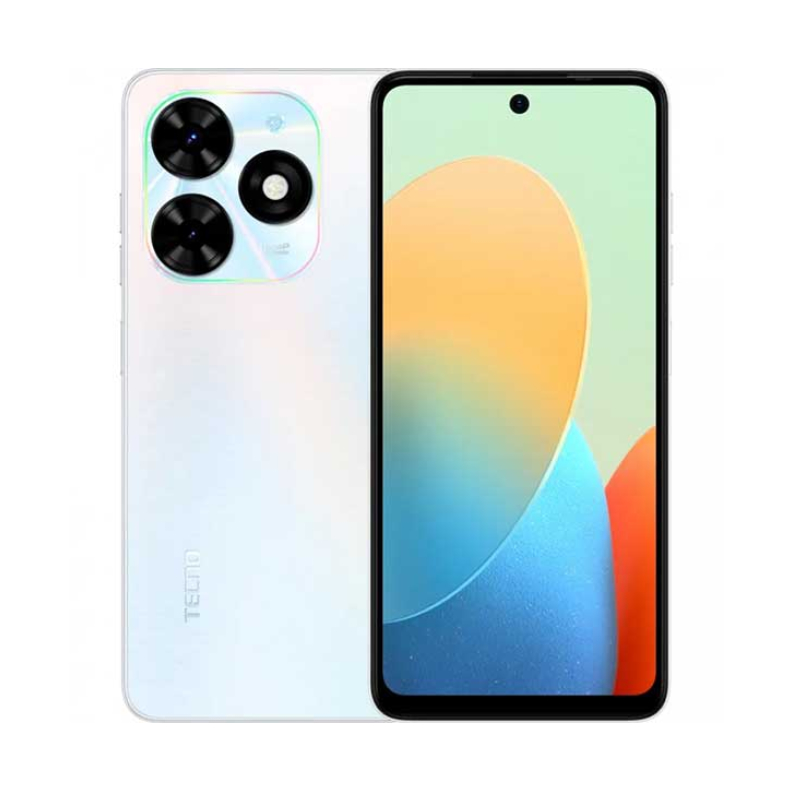
The TECNO POP 8, known for its budget-friendly price and balanced features, also holds potential for gaming enthusiasts. While it may not be a high-end gaming device, it offers a decent gaming experience for casual and moderate gamers. In this review, we’ll explore the gaming performance of the TECNO POP 8, list which games run well on it, and provide tips for optimizing your gaming experience.
Gaming Performance Overview
The TECNO POP 8 is equipped with:
- Processor: Quad-core MediaTek Helio A22
- RAM: 3GB
- Storage: 32GB, expandable via microSD
- Display: 6.0-inch HD+ (720 x 1440 pixels) IPS LCD
- Battery: 4000mAh
While these specifications are modest, they are sufficient for running many popular games smoothly. Let’s dive into the performance of specific games and overall gaming capabilities.
Games That Run Well on TECNO POP 8
1. Subway Surfers
A popular endless runner game, Subway Surfers runs smoothly on the TECNO POP 8. The graphics are vibrant, and the controls are responsive, making for an enjoyable gaming experience without any noticeable lag.
2. Candy Crush Saga
This classic puzzle game is not demanding on hardware and performs excellently on the TECNO POP 8. The game’s smooth animations and quick load times ensure a seamless experience.
3. Clash of Clans
Clash of Clans, a strategy-based game, runs well on the TECNO POP 8. The device handles the game’s graphics and animations smoothly, with minimal lag during battles and base management.
4. Temple Run 2
Another endless runner, Temple Run 2, works efficiently on the TECNO POP 8. The game’s controls are responsive, and the graphics render well, ensuring an engaging experience.
5. PUBG Mobile Lite
While the full version of PUBG Mobile might be too demanding, PUBG Mobile Lite runs surprisingly well on the TECNO POP 8. The game offers a good balance of graphics and performance, providing a decent battle royale experience with minimal lag.
6. Asphalt Nitro
Asphalt Nitro, a lighter version of the popular racing game Asphalt, performs admirably on the TECNO POP 8. The graphics are decent, and the game runs smoothly, making it a great option for racing game enthusiasts.
Games That May Struggle
1. Genshin Impact
This graphically intensive game is too demanding for the TECNO POP 8. Even at the lowest settings, the game may experience significant lag and slow performance, making it difficult to play.
2. Call of Duty: Mobile
While you can install and run Call of Duty: Mobile, the gaming experience might not be optimal. Expect frame drops and lag during intense gameplay, especially in multiplayer modes.
Tips for Optimizing Gaming Performance
1. Close Background Apps
Before starting a game, close all unnecessary background apps to free up RAM and processing power. This can significantly improve game performance and reduce lag.
2. Enable Game Mode
If your TECNO POP 8 includes a Game Mode or similar feature, enable it. Game Mode optimizes the device’s performance for gaming by allocating resources more efficiently.
3. Lower Game Settings
For more demanding games, reduce the graphics settings to low or medium. This helps maintain smoother gameplay by reducing the strain on the processor and GPU.
4. Keep Your Device Cool
Overheating can impact performance. Avoid playing games while charging and consider using a cooling pad or fan to keep the device temperature in check.
5. Use Performance Mode
Check if your TECNO POP 8 has a Performance Mode in the battery settings. Enabling this mode can boost the device’s performance during gaming sessions.
6. Clear Cache Regularly
Clearing cache can help free up storage and improve overall performance. Go to Settings > Storage > Cached Data and clear the cache periodically.
7. Update Your Games and System Software
Ensure that your games and system software are up to date. Developers often release updates to improve performance and fix bugs.
Conclusion
The TECNO POP 8, with its modest specifications, is capable of providing a satisfactory gaming experience for many popular casual and light-to-moderate games. By optimizing your device’s settings and choosing games that are less demanding on hardware, you can enjoy gaming on this budget-friendly smartphone. Whether you’re running endless runners, strategy games, or racing games, the TECNO POP 8 offers a reliable performance that can keep you entertained on the go.


 SIMCEL ONLINE
Leave a Reply