
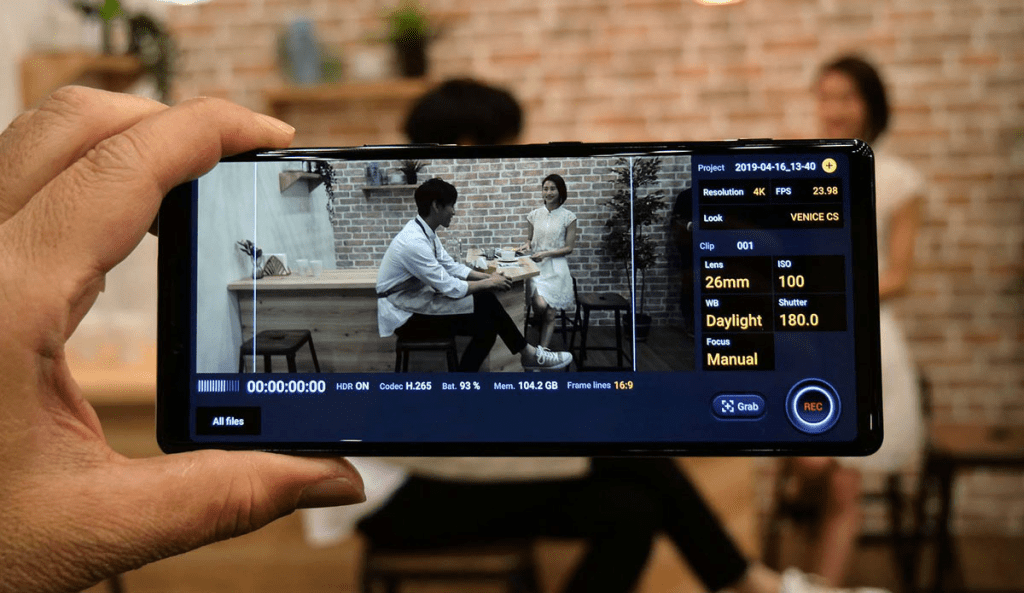
Gone are the days when you needed expensive cameras and complex editing software to create professional-looking videos. With advancements in mobile technology, shooting and editing high-quality videos is now possible using just your mobile phone. In this blog post, we will guide you through the process of shooting and editing videos with your phone, providing tips and tools to help you create impressive video content.
Part 1: Shooting Videos with Your Mobile Phone
- Plan Your Shots: Before you start shooting, take some time to plan your shots. Consider the following:
- Determine the purpose and message of your video.
- Create a storyboard or shot list to outline the sequence of shots you want to capture.
- Identify the ideal location and consider lighting conditions.
- Utilize Manual Controls: Many modern smartphones offer manual controls for camera settings. Take advantage of these features to enhance your video quality:
- Adjust exposure: Use the exposure compensation feature to control brightness levels.
- Set focus and white balance: Tap on the screen to focus on specific subjects and adjust white balance settings for accurate colors.
- Stabilize Your Shots: Steady shots are essential for professional-looking videos. Explore the following options:
- Tripods and Mounts: Invest in a smartphone tripod or mount to eliminate camera shake.
- Handheld Stabilization: Hold your phone with both hands close to your body or use the built-in image stabilization feature (if available) for smoother footage.
- Experiment with Angles and Perspectives: Captivate your audience by exploring different angles and perspectives:
- Eye-level: Shoot at eye level for a natural and relatable perspective.
- Low-angle: Capture dramatic shots by shooting from a low angle.
- Overhead: Try shooting from above to provide a unique view of the scene.
Part 2: Editing Videos on Your Mobile Phone
- Choose the Right Editing App: There are numerous video editing apps available for mobile devices. Consider the following popular options:
- Adobe Premiere Rush: Offers a comprehensive set of editing tools and easy integration with Adobe Creative Cloud.
- iMovie: A user-friendly app with a range of editing features, suitable for beginners.
- FilmoraGo: Provides a wide variety of effects, transitions, and filters.
- Import and Organize Footage: Transfer your video footage to your phone and organize it for easy access within your editing app.
- Trim and Arrange Clips: Start by trimming unnecessary sections and arranging your clips in the desired sequence. Ensure a smooth flow and logical progression of your video.
- Enhance and Edit: Take your video to the next level by applying various editing techniques:
- Color Correction: Adjust brightness, contrast, and saturation levels to achieve a balanced and visually pleasing look.
- Transitions: Add transitions between clips to create seamless and engaging transitions between scenes.
- Text and Graphics: Incorporate titles, captions, and graphics to convey information or enhance storytelling.
- Add Music and Audio: Audio plays a crucial role in video production. Enhance your video with the following audio editing techniques:
- Background Music: Add suitable background music to set the mood and evoke emotions.
- Voiceovers: Record and insert voiceovers to provide narration or additional information.
- Sound Effects: Enhance the audio experience by including sound effects that complement the visuals.
- Export and Share: Once you’re satisfied with your edited video, export it in the appropriate resolution and format. Choose the best option for your intended platform (e.g., social media, website). Then share your creation with the world!
Conclusion:
Creating professional videos using just your mobile phone is now a reality. By planning your shots, utilizing manual controls, stabilizing your footage, and exploring different angles, you can capture high-quality videos. Additionally, with the help of editing apps, you can trim, arrange, enhance, and add music and audio to create captivating videos. Embrace the power of mobile filmmaking and unleash your creativity, all from the convenience of your mobile device. Start shooting and editing videos with your phone today and elevate your video content to new heights.


 SIMCEL ONLINE
Leave a Reply