
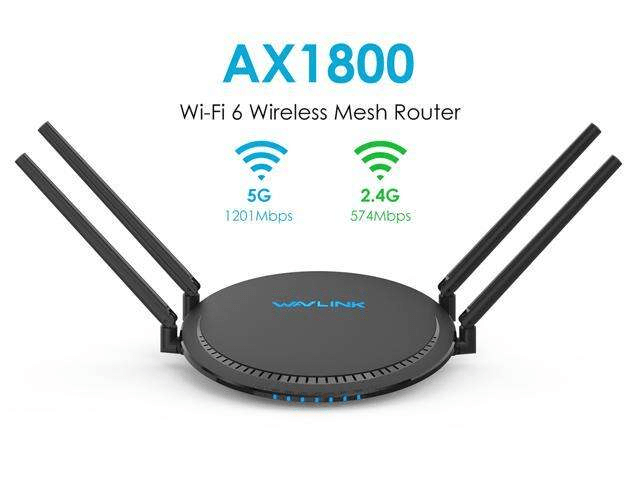
In our increasingly connected world, households and offices are teeming with devices that rely on a stable and fast internet connection. As the demand for simultaneous connections continues to grow, it’s essential to have a WiFi router that can handle multiple devices without sacrificing performance. The TP-Link AX1800 WiFi 6 router is known for its impressive capabilities, but just how many devices can it handle? In this blog post, we’ll explore the capacity of the AX1800 router and understand its ability to support numerous devices seamlessly.
Understanding WiFi 6 and Its Benefits:
Before delving into the capacity of the TP-Link AX1800 router, let’s briefly discuss the WiFi 6 (802.11ax) standard. WiFi 6 brings significant improvements over its predecessors, including higher data rates, reduced latency, improved efficiency, and increased capacity to accommodate multiple devices. With features like orthogonal frequency-division multiple access (OFDMA) and multi-user multiple input multiple outputs (MU-MIMO), WiFi 6 routers are designed to handle crowded network environments more effectively.
Device Capacity of the AX1800 Router:
The TP-Link AX1800 WiFi 6 router is equipped to handle a substantial number of devices simultaneously. While the exact number may vary depending on various factors such as network activity and the bandwidth requirements of individual devices, the AX1800 router is designed to support up to 256 devices in total.
It’s important to note that the capacity to handle multiple devices is not solely determined by the router itself. Factors such as the bandwidth requirements of each device, network congestion, and the overall internet connection speed also play a role in the router’s ability to efficiently manage device connections.
OFDMA and MU-MIMO Technology:
The AX1800 router leverages OFDMA and MU-MIMO technologies to optimize device connections and enhance network performance. OFDMA allows the router to divide each channel into smaller sub-channels, enabling it to simultaneously communicate with multiple devices. This helps reduce latency and improve the overall efficiency of the network, especially when multiple devices are actively transmitting data.
MU-MIMO takes this capability a step further by allowing the router to communicate with multiple devices simultaneously, rather than sequentially. With MU-MIMO, the AX1800 router can transmit data to multiple devices in parallel, resulting in faster and more efficient data transfers, reduced congestion, and improved overall performance.
Optimizing Device Connections:
While the AX1800 router has an impressive device capacity, it’s essential to optimize your network for the best performance. Here are a few tips to ensure a smooth experience with multiple devices:
- Prioritize bandwidth: Allocate bandwidth based on the specific needs of your devices. For example, prioritize bandwidth for bandwidth-intensive activities such as gaming or streaming.
- Update firmware: Regularly update the router’s firmware to ensure you have the latest bug fixes, security patches, and performance enhancements.
- Channel management: Configure your router to automatically select the optimal channels to minimize interference and improve signal strength.
- Use wired connections: For devices that require high bandwidth or have a stationary location, consider using wired Ethernet connections instead of relying solely on WiFi.
- Implement Quality of Service (QoS): Set up QoS on your router to prioritize certain devices or applications, ensuring a smoother experience for critical tasks.
Conclusion:
The TP-Link AX1800 WiFi 6 router is designed to handle a significant number of devices simultaneously, providing a seamless and efficient networking experience. With WiFi 6’s advancements, including OFDMA and MU-MIMO technologies, the AX1800 router optimizes device connections and reduces network congestion.
While the router can support up to 256 devices, it’s crucial to consider other factors
GET IT >>>HERE


 SIMCEL ONLINE
Leave a Reply